
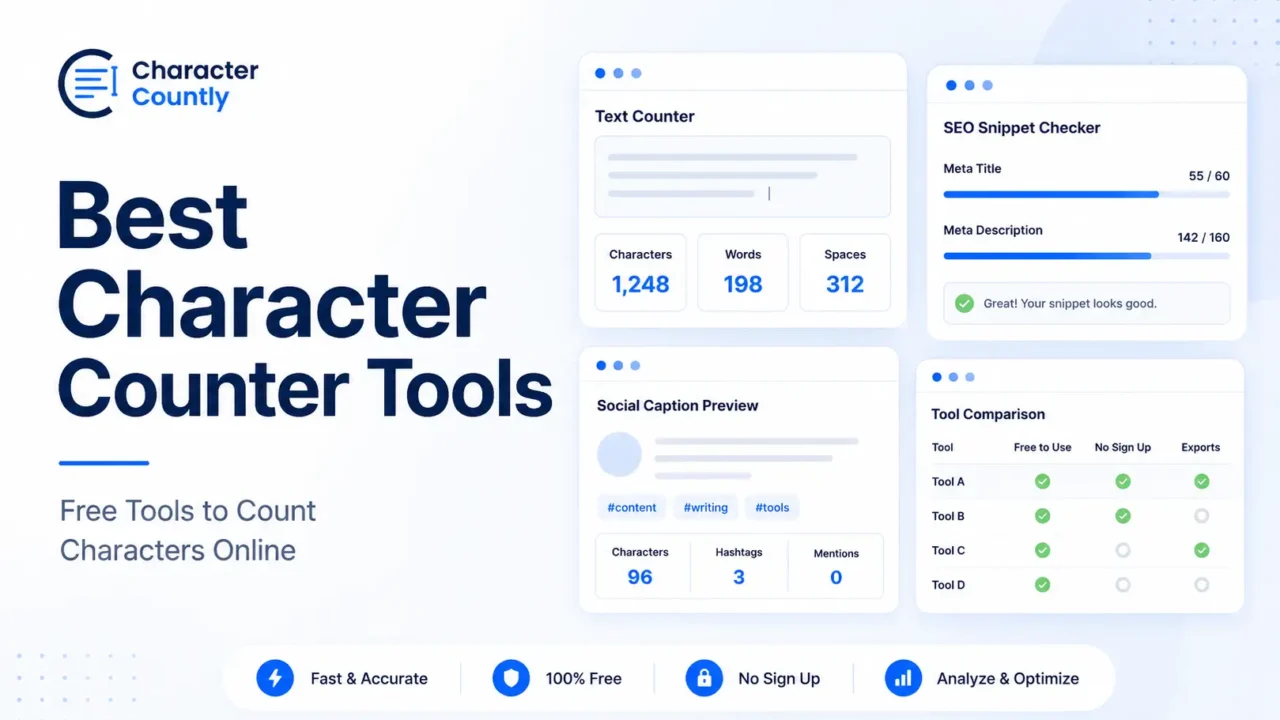

The best character counter tools help you check text length before you publish, submit, or send your writing. A good tool should count characters with spaces, characters without spaces, words, lines, sentences, and paragraphs.
Some tools are better for quick writing checks. Some are better for SEO titles and meta descriptions. Others are useful for social media captions, SMS messages, or application forms.
Here are the best free character counter tools to count characters online, with clear notes on what each one is best for.
TL;DR
- Use a character counter when your text has a strict limit or may get cut off.
- The best tools count characters, words, spaces, sentences, paragraphs, and lines.
- Character Countly is a strong free option for writers, marketers, SEO users, students, and creators.
- Use SEO-specific counters when checking meta titles, meta descriptions, slugs, or SERP previews.
- Use SMS-specific counters when message parts, Unicode, and cost matter.
- Always check the final version after editing, because small changes can affect the count.
What Makes a Good Character Counter Tool?
A good character counter should do more than show one number.
At minimum, it should show total characters and total words. For real writing work, you may also need spaces, lines, sentences, paragraphs, reading time, and word density.
The tool should also update quickly as you type or paste text. If you are editing a caption, SEO title, or form answer, you should not need to click several buttons to see the result.
Look for these features:
- Characters with spaces
- Characters without spaces
- Word count
- Sentence count
- Paragraph count
- Line count
- Space count
- Reading time
- Word density
- Simple copy, clear, paste, and download options
- Platform-specific checks when needed
Privacy also matters. For sensitive drafts, use tools that clearly explain how your text is processed.
Best Character Counter Tools to Count Characters Online
1. Character Countly
Best for writers, marketers, students, creators, and SEO users who want one clean place to check text length.
Character Countly’s Character Counter lets you check characters, words, sentences, paragraphs, lines, spaces, reading time, speaking time, readability, and word density.
It works well for everyday writing tasks. You can use it for blog intros, social captions, short messages, product descriptions, email subject lines, form answers, and student writing.
It also fits SEO work because Character Countly has related tools for checking specific search result fields. After writing your page title, you can use the SEO meta title length checker. For descriptions, use the SEO meta description length checker.
For social content, Character Countly also offers platform-specific tools like the Instagram character counter, LinkedIn character counter, and X Twitter character counter.
Use it when you want a clean text counter with useful writing metrics, not only a single character number.
2. WordCounter.net Character Counter
Best for quick character and word count checks.
WordCounter.net has a free character counter that counts characters and words. The tool is simple and useful when you need a fast count without many extra settings. Its own page describes it as a free online tool for calculating character and word count.
This is a good option for short writing tasks, such as checking a headline, bio, resume line, or short answer.
It is also useful for writers who want a basic count without opening a full writing editor.
Best use case: quick character and word count.
3. CharacterCounter.com
Best for simple real-time counting.
CharacterCounter.com is a free online character counter that shows character count, space count, word count, and more as you type.
The tool is easy to understand. Paste your text, then check the numbers. It is useful for users who want a basic browser-based counter without much setup.
It also has several related counters for specific use cases, which can be helpful when you are writing for a platform or format with a known text limit.
Best use case: real-time character, space, and word counting.
4. LetterCount.com
Best for counting letters and characters with custom options.
LetterCount.com focuses on letter and character counting. It allows users to count characters with or without spaces, punctuation, or numbers.
This is useful when you need a more specific type of count. Some forms or writing tasks may care about letters only. Others may count punctuation and spaces.
The site is not as modern as some newer tools, but it is practical for simple letter-counting tasks.
Best use case: letter count and character count with optional exclusions.
5. Character Count Online
Best for checking characters, words, paragraphs, and whitespace together.
Character Count Online counts characters, words, sentences, paragraphs, and whitespace. It also mentions keyword density features.
This can be useful for writers and editors who want more than a basic number. If you are editing blog copy, short content, or an assignment, the extra structure metrics can help you see whether the text feels too dense.
It is a practical option for general writing review.
Best use case: text structure checks with character count.
6. Grammarly Character Counter
Best for users who want counting plus writing suggestions.
Grammarly’s free character counter lets users count characters, sentences, and spaces. It also connects with Grammarly’s writing and grammar features.
This can be useful when you want to check length and review the writing at the same time.
The trade-off is that it may feel heavier than a simple counter if you only need a quick number. For short and private checks, a lighter counter may be better.
Best use case: character counting with grammar support.
7. QuillBot Character Counter
Best for a simple writing-focused character count.
QuillBot has a free character counter that gives a quick character count for pasted text. Its page describes the tool as simple and direct for writers and general text checks.
This is a good fit if you already use QuillBot’s writing tools and want a quick counter in the same ecosystem.
For users who only want length metrics, the tool is straightforward enough. For platform-specific limits, you may still need a dedicated counter.
Best use case: simple character counting for general writing.
8. Textmagic SMS Length Calculator
Best for SMS messages and business texts.
Textmagic’s SMS Length Calculator is not a general writing counter. It is built for text messages. It can estimate SMS length, message parts, character type, display preview, and cost.
This matters because SMS length depends on encoding. A short-looking message can split into multiple parts if it uses certain Unicode characters.
Textmagic also has a Unicode detector that explains how Unicode characters can reduce the character limit for a single SMS message.
Use this tool when you are writing business SMS, alerts, OTP messages, appointment reminders, or bulk text campaigns.
Best use case: SMS character count, message parts, and Unicode checks.
Quick Comparison Table
| Tool | Best For | Main Strength |
|---|---|---|
| Character Countly | Writers, SEO users, students, creators | Clean all-in-one text metrics |
| WordCounter.net | Fast checks | Simple word and character count |
| CharacterCounter.com | Basic real-time counting | Character, space, and word count |
| LetterCount.com | Letter counting | Options for spaces, punctuation, and numbers |
| Character Count Online | Text structure checks | Characters, words, sentences, paragraphs |
| Grammarly Character Counter | Writing review | Counting plus grammar support |
| QuillBot Character Counter | General writing | Simple character counting |
| Textmagic SMS Length Calculator | SMS messages | SMS parts, Unicode, and cost preview |
Which Character Counter Tool Should You Choose?
Choose the tool based on what you are writing.
For general writing, use a tool that shows words, characters, spaces, lines, and paragraphs in one place. This works well for students, bloggers, marketers, and creators.
For SEO, use a dedicated title or description checker. Google does not give a fixed character limit for title links or meta descriptions, but it says title links and snippets may be truncated to fit the device width.
For social media, use platform-specific counters. X documentation says posts can contain up to 280 characters, but not all characters count the same because emojis, URLs, and some Unicode ranges have special counting rules.
For YouTube, check title and description length before publishing. YouTube says video descriptions can have up to 5,000 characters.
For SMS, use a dedicated SMS counter. A normal character counter may not show message parts, Unicode issues, or SMS segmentation.
When You Should Use a Character Counter
Use a character counter any time length affects the result.
For SEO, it helps you keep titles and descriptions clear. You can pair a normal counter with the SERP preview tool to see how your result may appear in search.
For social media, it helps you avoid captions that feel too long or get cut off in key places. It is useful for Instagram captions, LinkedIn posts, X posts, TikTok captions, and YouTube descriptions.
For forms and applications, it helps you stay within hidden or visible limits. This is common in scholarship forms, job applications, support tickets, and short-answer fields.
For writing and editing, it helps you check whether your draft is too long, too short, or too dense.
Practical Examples
SEO Title
Draft:
Best Free Online Character Counter Tool to Count Words, Spaces, Lines, Paragraphs, and Text Length
Better:
Free Character Counter for Words, Spaces, and Lines
The second version is shorter and easier to scan.
Meta Description
Draft:
This is a free online tool that you can use to count characters and words and check your content length for many writing needs.
Better:
Count characters, words, spaces, and lines before publishing SEO titles, captions, essays, product descriptions, and form answers.
The better version is clearer and more specific.
Social Media Caption
Draft:
We created a new guide that explains how to count characters online, check your text length, review word count, and avoid writing captions that are too long.
Better:
New guide: learn how to count characters, words, spaces, and lines before you publish.
The edited version keeps the message sharp.
SMS Message
Draft:
Hi Sarah, this is a reminder that your appointment is scheduled for tomorrow at 10:30 AM. Please reply YES to confirm your booking.
Before sending, paste it into an SMS counter if cost, encoding, or message parts matter.
A normal character counter can show the length. An SMS counter can show whether the message may split into multiple parts.
Common Mistakes to Avoid
- Using a general counter for SMS campaigns.
- Checking only words when the platform limits characters.
- Forgetting that spaces usually count as characters.
- Writing SEO titles for length only, not clarity.
- Pasting the same caption across every platform without checking limits.
- Ignoring emojis, symbols, and Unicode in short text.
- Editing after checking, then publishing without a final count.
- Choosing a tool with too many features when you only need a quick count.
FAQs
What is the best free character counter tool?
The best free character counter depends on your task. For general writing, use a tool that counts characters, words, spaces, lines, sentences, and paragraphs.
Can I count characters online for free?
Yes. Many online tools let you count characters for free. You can paste your text and see the count instantly.
Do spaces count as characters?
Yes, spaces usually count as characters. Many platforms include spaces in the total character limit because spaces take up text space.
What is the difference between a character counter and a word counter?
A character counter measures letters, numbers, spaces, punctuation, symbols, and sometimes emojis. A word counter measures how many words are in the text.
Which character counter is best for SEO?
For SEO, use a counter that checks title length, meta description length, and search preview. A general character counter is useful, but SEO-specific tools give better context.
Which character counter is best for SMS?
For SMS, use an SMS length calculator. It can show message parts, encoding, Unicode issues, and estimated cost, which a normal counter may not show.
Final Takeaway
The best character counter tool is the one that matches your writing task.
Use a general counter for everyday writing. Use SEO counters for search snippets. Use platform-specific counters for social posts. Use SMS counters when message parts and Unicode matter.
Before publishing, paste the final version into the right counter and check the length one last time.