
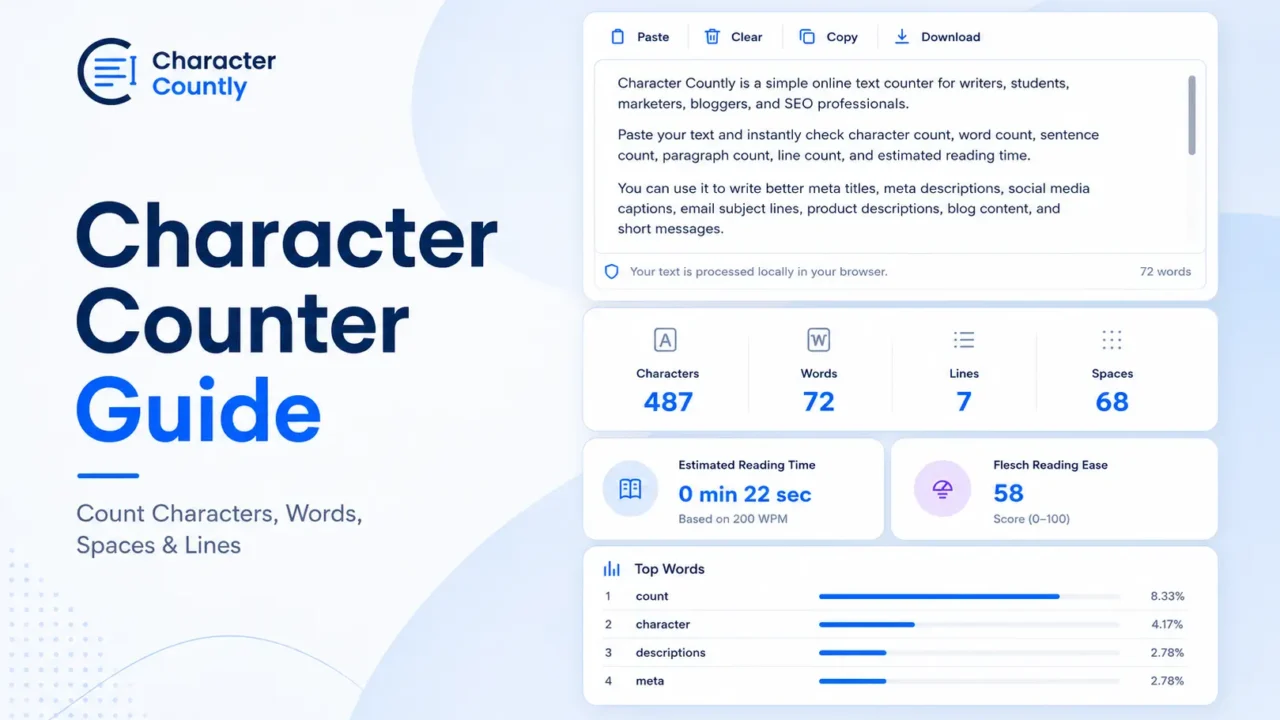

A character counter shows the length of your text before you publish, submit, or send it. It counts characters, words, spaces, lines, and often paragraphs.
This matters because many platforms have text limits. SEO titles can be cut in search results. Social captions can get trimmed. Forms, bios, ads, SMS messages, and academic assignments may also have strict length rules.
A good character counter gives you a clean view of your text length, so you can edit with less guesswork.
TL;DR
- A character counter counts letters, numbers, punctuation, symbols, spaces, words, lines, and paragraphs.
- Spaces usually count as characters because they take up space in your text.
- Word count is useful for essays, articles, assignments, and content briefs.
- Line count matters for poems, captions, scripts, code notes, and formatted text.
- Emoji and special symbols can be counted differently by some systems.
- Before publishing, paste your text into the Character Counter to check length, spacing, and structure.
What Is a Character Counter?
A character counter is a text tool that measures how many characters your writing contains.
A character can be:
- A letter
- A number
- A punctuation mark
- A space
- A symbol
- An emoji
- A line break
For example:
Text:Write better captions.
Character count with spaces: 22
Character count without spaces: 20
Word count: 3
The exact count can change based on what the tool includes. That is why many counters show separate results for characters with spaces and characters without spaces.
What Does a Character Counter Count?
Most character counters measure more than characters. They usually give you several text metrics at once.
Characters With Spaces
This count includes everything in the text, including spaces between words.
Example:
Hello world
This has 11 characters with spaces.
The space between “Hello” and “world” counts as one character.
Characters Without Spaces
This count removes spaces from the total.
Example:
Hello world
This has 10 characters without spaces.
This number is useful when a platform or assignment only cares about letters, numbers, punctuation, and symbols.
Words
Word count tells you how many words are in your text.
Writers, students, bloggers, and editors use word count to stay within content limits.
Example:
Character counters save editing time.
Word count: 5
Spaces
Space count tells you how many blank spaces are in your text.
This is useful when formatting matters. It can also help you catch extra spaces between words.
Lines
Line count shows how many lines your text uses.
This matters for:
- Poems
- Song drafts
- Captions with line breaks
- Scripts
- Code comments
- Short-form content
- Formatted bios
Paragraphs
Some tools also count paragraphs.
Paragraph count is useful for checking whether your writing looks too dense. It can also help when editing blog posts, emails, essays, and landing page copy.
How to Use a Character Counter
Using a character counter is simple.
- Copy your text.
- Paste it into the counter.
- Check characters, words, spaces, and lines.
- Edit the text if it is too long.
- Review spacing, line breaks, and readability before publishing.
For example, if your social media bio is too long, remove weak words first. Keep the core message. Then check the count again.
Character Count vs Word Count
Character count and word count are not the same.
Character count measures text length at a smaller level. Word count measures how many words you used.
Here is a simple example:
Text:Free tools for writers
Characters with spaces: 22
Characters without spaces: 19
Words: 4
Character count matters when the platform has a strict text limit.
Word count matters when the content needs a certain depth or length.
Does a Space Count as a Character?
Yes, in most cases, a space counts as a character.
A space may look empty, but it still takes up room in your text. Many platforms count spaces toward the total character limit.
For example:
SEO tips
This text has 8 characters with spaces.
Without the space, it has 7 characters.
This is why checking both numbers is useful.
Do Emojis Count as Characters?
Yes, emojis usually count as characters. But some systems may count them differently.
For example, one visible emoji may use more than one code unit in JavaScript because JavaScript strings use UTF-16 encoding. MDN explains that JavaScript’s length property counts UTF-16 code units, not always visible characters.
For normal writing, this usually does not matter much. But it can matter for developers, SMS limits, database fields, or strict platform limits.
Safe rule: if you use emojis in short bios, ads, SMS messages, or social captions, check the final text before posting.
Where Character Count Matters Most
Character count matters anywhere text length affects display, submission, or readability.
SEO Titles and Meta Descriptions
SEO titles and meta descriptions should be clear and short enough to display well in search results.
Google says title links are generated from several page signals, including title elements and other visible page content. Google also says snippets may come from the meta description when it fits the query, but snippets can be truncated based on device width.
That means there is no perfect fixed character limit. Still, checking length before publishing is a smart editing step.
Useful tools:
Social Media Posts
Social media platforms often have character limits for captions, bios, posts, comments, and descriptions.
Even when a platform allows long text, shorter copy may display better in feeds.
Before posting, check:
- Total character count
- Line breaks
- Emoji use
- Hashtag length
- First visible lines
Useful tools:
- Facebook character counter
- Instagram character counter
- LinkedIn character counter
- X Twitter character counter
YouTube Titles and Descriptions
YouTube titles need to be clear before they get cut in search, suggested videos, or mobile views.
Descriptions can be longer, but the first few lines matter most because viewers often see only the opening part.
Use the YouTube title and description counter to check title length, description length, and formatting.
TikTok Captions
TikTok captions can include text, hashtags, mentions, and emojis.
The problem is not only the limit. Long captions can also feel hard to scan on a small screen.
Use the TikTok caption counter when writing video captions, hooks, and hashtag sets.
Forms, Applications, and Assignments
Many forms have hidden or visible text limits.
Examples include:
- Job applications
- Scholarship essays
- Product descriptions
- Short answers
- Contact forms
- Profile bios
- Event descriptions
A character counter helps you trim the text before the form rejects it.
Practical Examples
Here are a few simple examples of how character counting changes your editing.
Example 1: SEO Title
Too long:Best Free Online Character Counter Tool to Count Characters, Words, Spaces, Lines, and Paragraphs
Better:Free Character Counter for Words, Spaces, and Lines
The shorter version is clearer. It also avoids trying to say everything in one title.
Example 2: Meta Description
Too vague:Use our tool to count text and improve your writing for different needs online.
Better:Count characters, words, spaces, and lines before publishing captions, SEO titles, forms, essays, and online content.
The better version tells readers what they can check and when to use it.
Example 3: Instagram Caption
Draft:New blog is live! We shared a detailed guide about writing better social media captions, checking character limits, improving formatting, and avoiding common caption mistakes before publishing your next post.
Edited:New blog is live. Learn how to write cleaner captions, check length, and fix formatting before you post.
The edited version is shorter and easier to read.
Example 4: Form Field
Original:I am applying because I have always been interested in this role and I believe my skills, experience, and personal interest make me a strong fit for the position.
Tighter:I am applying because my skills, experience, and interest match the role well.
The tighter version keeps the meaning and removes extra words.
How to Edit Text When It Is Too Long
Start by cutting weak words.
Remove phrases that do not add meaning.
Common words to cut:
- Very
- Really
- Just
- Basically
- Actually
- In order to
- I believe that
- It is important to
Then check repeated ideas. Many drafts say the same thing twice.
Example:
Long:This tool can help you check your text length and make sure your text is not too long before you publish it.
Better:Use the tool to check text length before publishing.
You can also split long text into shorter lines when readability matters more than total length.
Common Mistakes to Avoid
- Counting only words when the platform limits characters.
- Forgetting that spaces usually count as characters.
- Ignoring line breaks in captions, bios, and poems.
- Using too many emojis in fields with strict limits.
- Writing SEO titles for character length only, not search intent.
- Checking length once, then editing more without checking again.
- Using the same caption on every platform without reviewing limits.
Best Character Counter Workflow
Use this simple workflow when text length matters.
1. Write the Text First
Do not start by obsessing over the count.
Write the full message first. Get the main idea down.
2. Paste It Into a Counter
Use the Character Counter to check characters, words, spaces, and lines.
Look at both character count with spaces and without spaces.
3. Cut What Does Not Add Meaning
Remove repeated points, filler words, and weak phrases.
Keep the words that carry the message.
4. Check Formatting
Review line breaks, spacing, paragraphs, and emoji use.
This matters most for social media captions, bios, and short-form content.
5. Check Again Before Publishing
Do a final count after editing.
Small changes can push your text over the limit.
Final Takeaway
A character counter is useful because text limits are easy to miss.
Before you publish a caption, SEO title, form answer, bio, or description, check the count once. Then edit for clarity, not only length.
FAQs
What is a character counter?
A character counter is a tool that counts the length of your text. It can show characters, words, spaces, lines, and sometimes paragraphs.
Do spaces count as characters?
Yes, spaces usually count as characters. A space takes up room in your text, so many platforms include it in the total count.
What is the difference between character count and word count?
Character count measures every letter, number, symbol, space, and punctuation mark. Word count measures how many words are in the text.
Why do emojis affect character count?
Emojis can count as one or more characters depending on the system. Some technical systems count code units, so emoji length can vary.
How many characters should an SEO title have?
There is no fixed Google character limit for SEO titles. A shorter, clear title usually displays better, but Google may change how title links appear.
What is the easiest way to count characters online?
The easiest way is to paste your text into an online character counter. It will show characters, words, spaces, and lines instantly.